
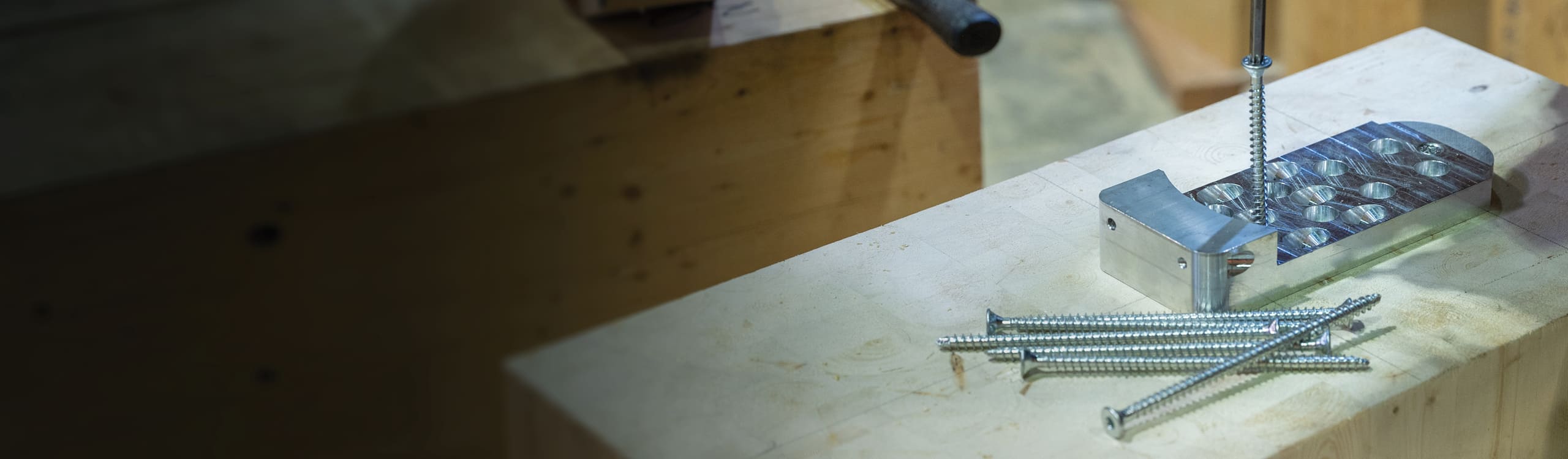
The MTC RIDGE beam hanger is a compact connection system engineered in Canada and manufactured in North America for mass timber construction. As APEX’s compact counterpart, it uses the same tongue-and-pocket technology for beam-to-beam and beam-to-column applications. It was designed to deliver a concealable beam hanger for your everyday mass timber application with improved installation efficiency.
Extensively tested to validate its structural performance, RIDGE combines a compact design with features that simplify installation. Enhanced installation tolerances and an optimized fastener configuration help crews work efficiently, while provisions for pre-installing a fire-rating wood block before drop-in reduce overhead work on site.
This article gives you the complete rundown on how to install the ICC-ES ESR-5466 certified RIDGE family of connectors, covering general considerations, the hardware and tools necessary, installation times, and step-by-step instructions to ensure a smooth installation on site.
Approximately 9-minute read.
Hardware & Tools: What Do You Need?
Each RIDGE connector kit includes:
💡 Hardware package A uses shorter horizontal screws combined with the standard length inclined screws in the primary member and is permitted only where the fasteners are installed into side or parallel grain. Package B uses the same length for both horizontal and inclined screws and is required for secondary member end-grain installations.
For an accurate installation, we recommend using:
And, the usual must-haves: PPE, measuring tape, framing square, and a marker.
Installation Times and Time-Saving Tips
Installation time will vary depending on site conditions and experience, but RIDGE is designed to support an efficient workflow. A single person can typically install a complete RIDGE connection in 11 to 24 minutes, depending on the model, including:
These estimates cover both connector plates and exclude optional measures such as wood plug installation.
💡 Pro tips to help streamline installation and improve consistency across multiple connections.
💡 Speaking of fit-up tolerance, RIDGE is engineered with enhanced tolerances that help accommodate minor misalignments during installation, allowing connections to more easily drop into place and self-align. This reduces the need for field adjustments and rework, helping crews save valuable time.
Step-by-Step Installation Instructions
Before starting, if you’re not familiar with MTC Solutions fastener technology, we recommended reviewing our STS installation best practices article that details how to optimize your installation.
1. RIDGE Layout and Reference Points
Begin by laying out the connector on both the primary and secondary members.
The top of the member is used as the reference point, consistent with other concealed beam hanger systems. The lower nonstructural positioning screw should be measured from that point of reference.
The pocket should be at the bottom on the primary member and the top on the secondary member.
💡 Pro tip: Mark alignment points on beam faces for quick verification and layout.
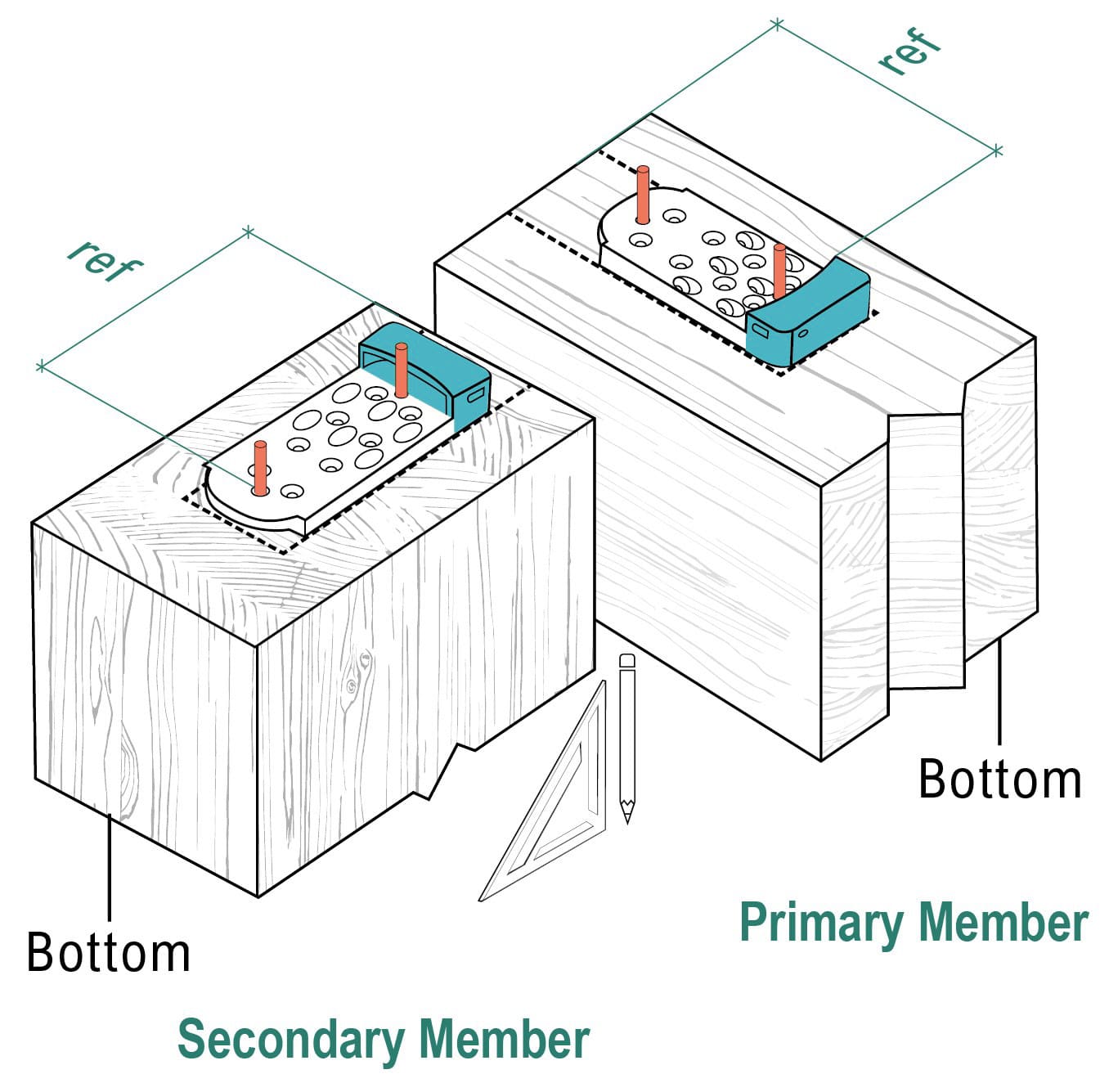
Figure 1. RIDGE layout reference points
⚠️ Important: When working with split lamination glulam, voids may be present between plies. Position fasteners away from these voids to ensure uniform load transfer. If it’s not possible to reposition the fasteners, consult your EOR.
2. Screw Installation Layout
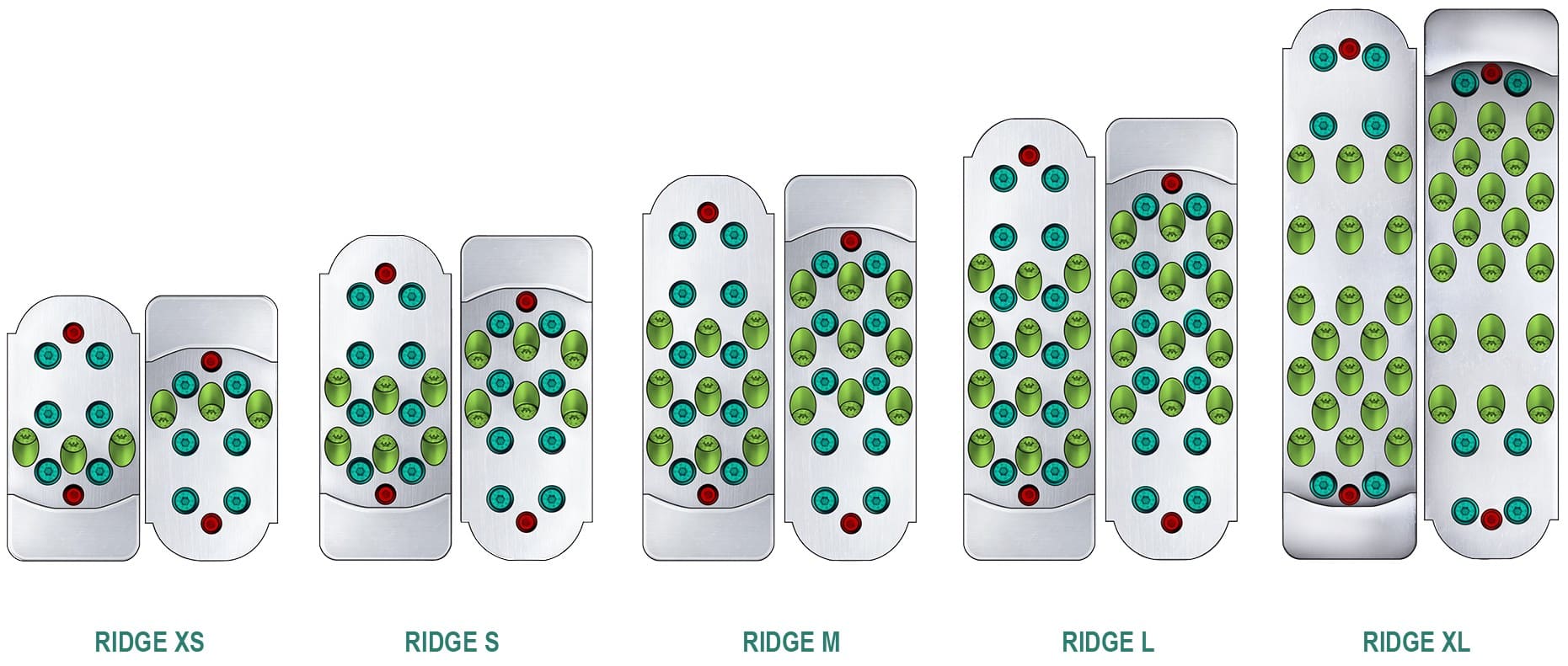
Figure 2. APEX screw patterns
Legend:
● Nonstructural Positioning Screws
● Horizontal Screws
● 45° Inclined Screws
Start with the top nonstructural positioning screw to establish alignment, then install the bottom nonstructural positioning screw to secure the plate.
💡 Pro tip: Predrilling pilot holes for positioning screws during fabrication can improve accuracy and reduce installation time on site.
3. Pilot Holes (Recommended)
For RIDGE connectors, 3/16 in. [5 mm] diameter, 1 in. [25.4 mm] long pilot holes are recommended. The RIDGE predrilling jig is especially useful for maintaining the correct angle for inclined fasteners.
4. Install MTC-FTC Structural Screws
The RIDGE system uses a combination of horizontal and inclined screws.
Install all horizontal screws first, followed by the inclined screws, working from the top down for both. This sequence helps maintain alignment and ensures a smooth installation process.
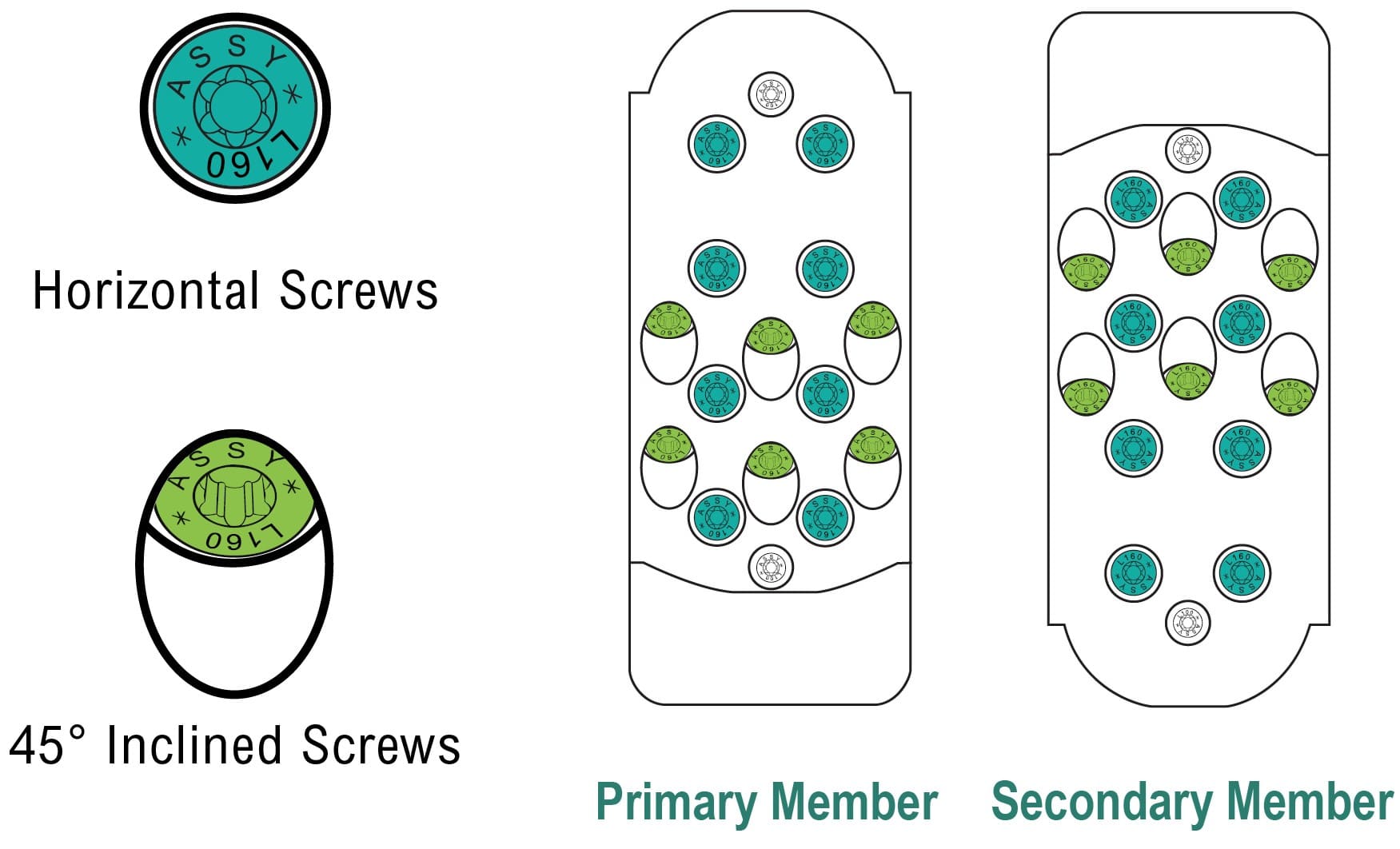
Figure 3. RIDGE structural screw pattern
⚠️ Important: If your kit includes two structural screw lengths (Package A), the shorter 5/16 x 4-3/4 in. [8 x 120 mm] screws can only be used for horizontal installation in the primary member. The longer 5/16 x 6-1/4 in. [8 x 160 mm] screws are used for all inclined screws in the primary member and all structural screws in the secondary member. Package A is permitted only for primary member side- or parallel-grain installation. All inclined screws in the primary member and all structural screws in the secondary member must be 5/16 x 6-1/4 in. [8 x 160 mm]. For Package B, use 5/16 x 6-1/4 in. [8 x 160 mm] screws throughout; this package is required for secondary member end-grain installation.
💡 Pro tips for installation:
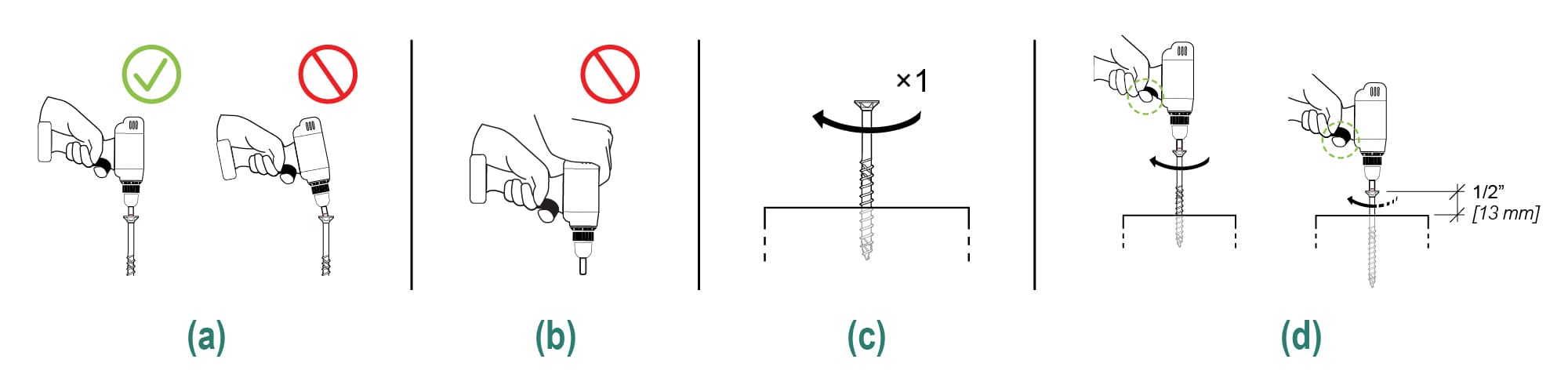
Figure 4. Screw installation best practices
5. Wood Plug Installation (Optional)
RIDGE includes diagonal holes that allow a wood plug to be during prefabrication or at ground level on site, reducing overhead installation work before the secondary beam is lifted in place. This improves installation accuracy while reducing the need for overhead work at height.
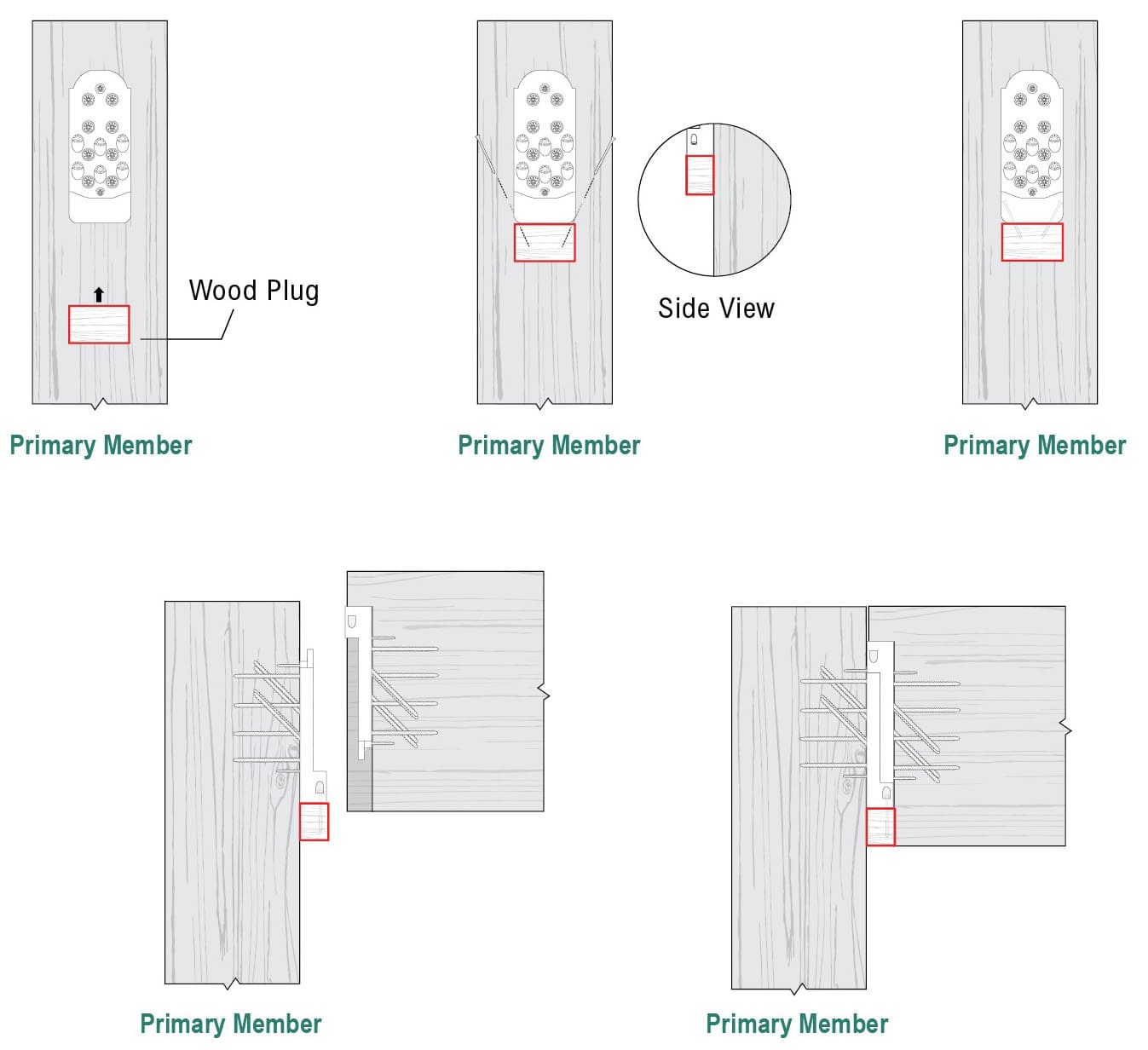
Figure 5. APEX wood plug installation steps
And that’s it! Efficient and simple.
The North American-made RIDGE beam hanger was designed to deliver compact, high-performance connections with enhanced installation features, making it a cost-competitive local solution for your mass timber projects.
Planning a mass timber project? Tap into our Resource Hub or Contact Us today! Let’s build something great together!
And if you are wondering about the structural performance and detailing requirements of the ICC-ES certified RIDGE beam hanger, check out our Beam Hanger Design Guide for capacities, geometry requirements, and installation guidance.
Register for a Technical Learning Session
Sign up for MTC Newsletter and keep up to date with all our progress.